JRP's CONNECTOR

Multi-WAN bonding that keeps livestreams alive

Multiple networks. One resilient uplink.

CONNECTOR is multi-WAN bonding software for livestream and field production. It sends every tunnel packet across all your WAN paths at once — fiber, 4G, 5G, hotel Wi-Fi, dual modems. If one link drops or loses packets, your stream and upload keep going — as long as any path delivers.

Stop gambling on a single ISP. Bond the paths you already have into an uplink that survives the worst second of the show — without buying a rack of bonding hardware.

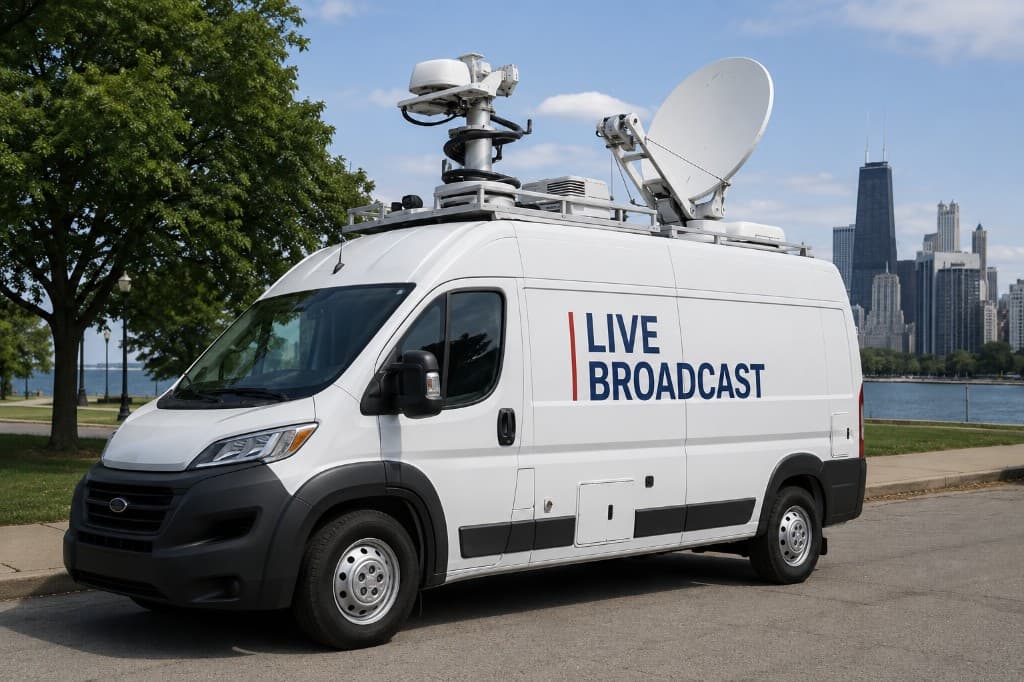
Live broadcast van with satellite uplink — the kind of field production CONNECTOR keeps online with multi-WAN bonding
Field and live broadcast kits need an uplink that survives the worst second — not average speed on a good day.

Parallel, not failover

Failover switches after the break. CONNECTOR sends on every path at once — so viewers never see the hole.

Runs on your device

Teltonika RutOS (RUTM08 recommended), Windows PC, or build your own router with our ISO — one appliance, one license.

Dedicated endpoint

Each appliance gets its own isolated server endpoint — not a crowded shared tunnel.

CONNECTOR pricing

Pricing

CHF 45/ month
1 month free per device — no charge until it ends

One license per appliance

Every appliance gets a dedicated endpoint — isolated, not shared with other customers.

A dropped connection will cost you far more than this affordable high-end CONNECTOR uplink. One live fail, one lost sponsor slot, or one redo shoot dwarfs the monthly license.

Get started

One good link is fine — until it isn't

Live doesn't care about average speed. It cares about the worst second. Packet loss and short outages mean artifacts, rebuffers, and on-air failures — the kind of moment sponsors, pastors, coaches, and producers remember for the wrong reasons.

A “backup” modem with classic failover often switches only after the break. Viewers already saw the glitch. Parallel packet duplication closes that gap: every packet rides every path, and the first arrival wins.

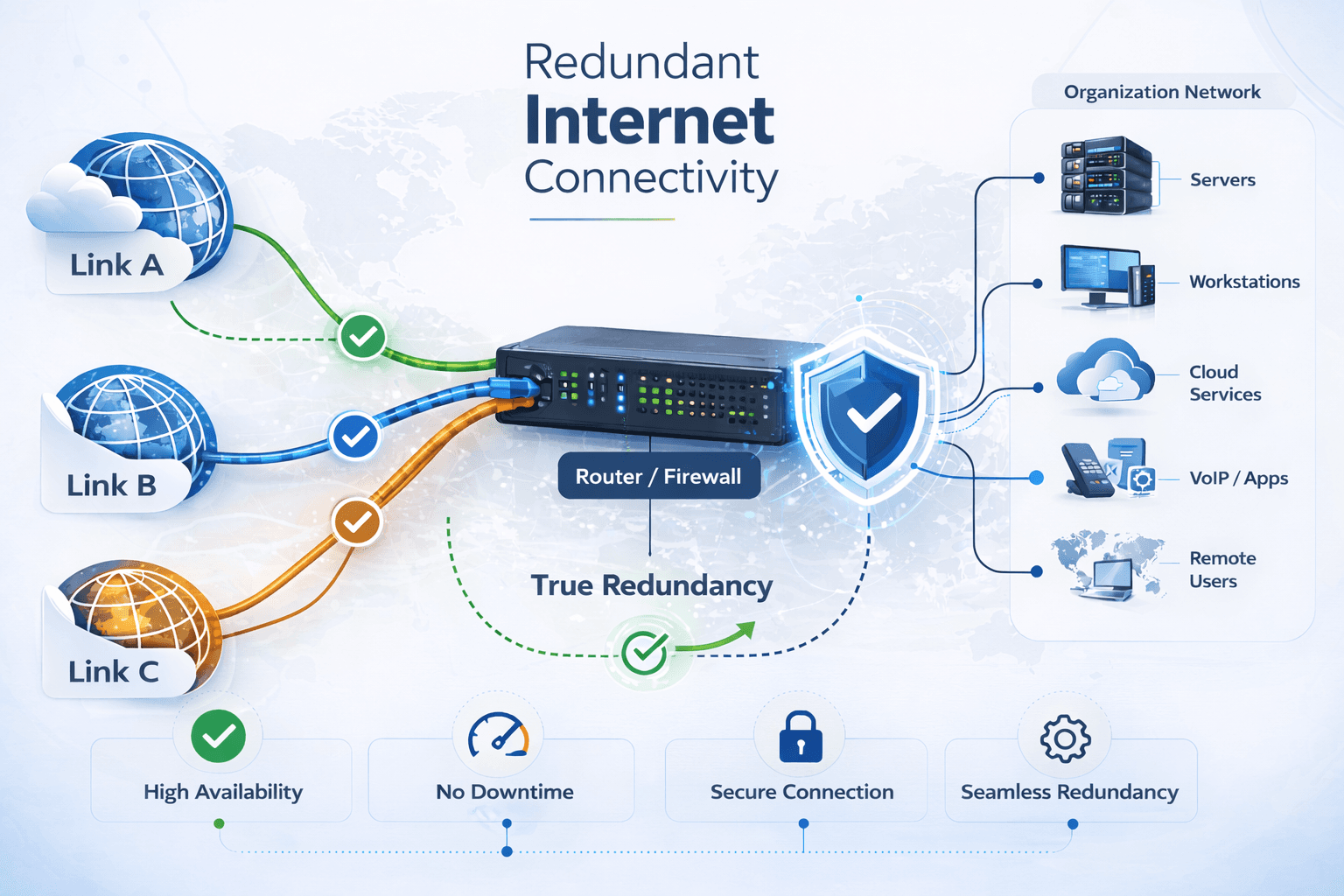
Redundancy by packet duplication — not late failover

CONNECTOR builds a bonding tunnel over your WANs. Every tunnel packet goes out on all active paths. The server keeps the first arrival and drops duplicates. Loss or failure on one path stays invisible to OBS, vMix, encoders, and viewers — while at least one path works.

That is the difference between hoping a backup modem wakes up in time, and knowing the second (or third) path was already carrying a copy of every packet.

Redundancy costs upstream (N paths ≈ N× upload). You buy stability for live traffic, not double speed.

How it works

  1. Step 1

    Account & license

    Sign up, activate a slot, and your dedicated endpoint is ready to provision.

  2. Step 2

    Install a client

    Choose Teltonika RutOS (RUTM08 recommended; other compatible-CPU models too), Windows, or build your own router with our ISO — then connect your WAN paths.

  3. Step 3

    Bind & bond

    Enter the Device ID in the dashboard, turn bonding ON, go live with confidence.

Built for crews who cannot go offline mid-show

Whether you are pushing a church service, a match, a conference keynote, or a remote interview — CONNECTOR is the quiet layer under your encoder that keeps the uplink honest.

  • Livestream & broadcast crews who cannot risk a dropout mid-show
  • Events, houses of worship, sports, and pop-up productions
  • Mobile / lightweight OB kits that need hotel Wi-Fi + cellular together
  • Field teams bonding multiple modems into one resilient uplink

FAQ — multi-WAN bonding & CONNECTOR

Is CONNECTOR bandwidth bonding or speed aggregation?

No. CONNECTOR focuses on redundancy through packet duplication — stability for live traffic, not double download speed.

What is a dedicated endpoint?

Each licensed appliance gets its own isolated server endpoint and tunnel — traffic is not mixed with other customers on a shared port.

What clients does CONNECTOR support?

CONNECTOR runs on Teltonika RutOS routers (RUTM08 validated; other RutOS devices with compatible CPUs too), Windows 10/11 PCs, or your own x86_64 machine with our CONNECTOR router ISO.

Which Teltonika routers are supported?

RUTM08 (mipsel) and RUTX14 (armv7 / Cortex-A7) are supported — the install command picks the matching binary. Other RutOS models with those CPU types should work too. aarch64 models are not shipped yet. Contact info@jrp.app if you need your model checked.

What counts as a router appliance?

A supported Teltonika RutOS router (RUTM08 or another compatible-CPU model), or your own PC/mini-PC that boots our CONNECTOR router ISO. Both share the bonded uplink with your LAN.

Do I need expensive bonding hardware?

No. Start with a Teltonika RUTM08 (recommended), another compatible RutOS device, a Windows PC, or build your own router with our ISO — plus a CONNECTOR software license. Your existing modems and uplinks are enough.

What happens if I unplug a WAN cable mid-stream?

Traffic continues on the remaining paths. As long as one path delivers, the stream keeps going.

Who is CONNECTOR for?

Livestream, broadcast, event, and field productions that need multi-WAN uplink redundancy without a rack of bonding gear.
Supported devices

Pick the kit that fits your shoot. One license per appliance, one dedicated endpoint. Teltonika support centers on RUTM08 and other RutOS devices with compatible CPUs— not every Teltonika model qualifies.

Teltonika

Recommended router

Ready-made bonding appliance on RutOS. Validated on RUTM08 (mipsel) and RUTX14 (armv7).

  • RUTM08Supported

    Validated & recommended. MediaTek MT7621 (mipsel), RutOS.

  • RUTX14Supported

    ARM Cortex-A7 (armv7). Installer auto-selects the ARM binary.

  • Other RutOS devicesSupported

    Same client on other models with mipsel or armv7 CPUs (installer picks the binary).

Not every Teltonika SKU qualifies — aarch64 models are not shipped yet. Unsure about your model? Ask us. info@jrp.app

Windows

PC client

Bonds the uplinks on that PC for OBS, encoders, and all apps on the machine.

  • Windows 10 / 11Supported

    x64 PC.

Router ISO

Build your own router

Turn a spare PC or mini-PC into a bonding router appliance with our self-installing ISO.

  • x86_64 PC / mini-PCSupported

    Boots our CONNECTOR router ISO (USB).

CONNECTOR on Teltonika RUTM08, Windows PC, or a machine with the router ISO

Before the next on-air glitch

Start with one appliance. Bond two links. Unplug a cable on purpose — and keep the stream. That confidence is what the monthly license is for.

Redundancy, not speed aggregation. A product by JRP Applications.